Thursday, March 14, 2013
I Value My Old Home Movies and Video Tapes!
4:48 PM
No comments
We all know about the boxes full of old VHS tapes and
Super 8 movie film hiding in our storage- but what’s the value in it? You might be amazed once you take a closer
look…
In 1977 I was so ecstatic when I bought my first “movie”
camera. It was a ‘sound only’ Super 8
camera which I paid $400 for ($1495 in 2012 dollars). In order to capture anything I needed to
purchase a single film cartridge which cost $11.00 ($41.00 in 2012 dollars) - and
it only held about 3 minutes of film! At
this time my wife and I were raising two kids both under age 2. There was no way I could shoot everything
that the little kids did every day (like we tend to do today with the modern
digital technology). Heck, I couldn't even afford a projector to watch the film on! In order to watch our recorded footage we
would take our film to the local camera bar where it was developed, and then we
would head to my parents’ home to watch the 3 minutes of our movies. That’s what makes this old film so valuable
beyond the enormous cost associated with shooting those memories in the first
place. Every roll of film contained a
very special event. Whether it was
capturing Christmas, a birthday, or those precious first steps it was always
something really special.
In 1986 I bought my first VHS camcorder. It was about the size of a modern computer
monitor and required that it be shoulder mounted to shoot the video. It was terrible in low light situations, but
compared to the cost and limited filming length of Super 8 it was all the rage
for the home movie buff. I paid $1400
for this behemoth ($2885 in 2012 dollars) and I would readily plop down another
$24.95 ($51.42 in 2012 dollars) for a blank VHS tape because “Hey- it costs far
less per minute than Super 8 film!”
I love today’s digital video technology. In this digital age I shoot more video in one
year than I shot in the 20 years of the old analog world combined. Sometimes I
think that the younger generation who only knows the digital age fails to
appreciate the value, cost, and effort that went into capturing all of those
old memories that your parents and grandparents have tucked away in a corner of
the basement. While I make my business
of bringing those old videos and home movies into this new age, I will always
have a special place in my heart for the good old methods of capturing the
moment.
Here’s my personal estimate of my investment:
Super 8 Movie Film including camera: ~$3600 in 2012 dollars
VHS & Hi8 tapes including cameras: ~$2450 in 2012 dollars.
-Brent Larsen, President of Larsen Digital Services
How much investment do you have in your old vintage films?
Send us your estimate!
Tuesday, March 5, 2013
Photo Calendar Review: Picaboo
9:41 AM
No comments
After my first failed attempt at making a calendar I was a little wary at trying again. I tried Picaboo.com because it was referred to me by a friend. I was able to quickly and easily upload my photos and loved the fact that it would hide photos in my gallery after I had added them to my calendar, it was simple to know which photos I still needed to add. This really helped me keep my head on straight and stay organized. The software was very user friendly and intuitive (but a little slow at times). I really liked that I could have preset designs because I didn't have a lot of spare time to create a calendar. I really liked that I could zoom into my picture and then adjust it left, right, up or down. This allowed me to focus on the exact spot of my photo.
The only downside is that it lacked decorative accents and I really wish it had offered some. I am not creative, I can't come up with fun catch phrases on my own and I would have appreciated some help. If it hadn't been midnight I would have called my sister-in-law, she can always come up with something creative.
When I received my calendar I was really impressed with how fast it arrived & that it was such great quality. Each page is on thick card stock instead of flimsy paper. The pictures on the pages look great, the printing was very high quality. It also passed the kid test. Both my 4 year old & my 1 year old have taken it from me to look at their pictures and the calendar survived! My 1 year old loves to rip pages out of books and thankfully the card stock was so thick he wasn't able to destroy my new calendar.
Thursday, February 28, 2013
Wednesday, February 27, 2013
$7 Video Tape to DVD Transfers!
12:31 PM
1 comment
You can get a coupon code to get all your video tapes transferred to digital for only $7 a piece!
All you have to do to get the code is:
-Watch the video below
-Figure out what color hair the doll has
-Leave your answer in a comment on this blog post along with your email address
-The coupon code will be emailed to you within 24 hours
-You have until Today (02.27.13) Midnight Mountain Time to submit your answer!
-Coupon Code will expire 03.08.13
ENJOY!
Find out more information on our video tape transfer service and process!
Friday, February 22, 2013
Making Video Memories Stand Out
7:34 AM
No comments
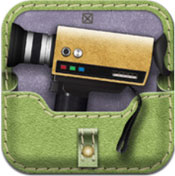
![]() | 8mm Vintage Camera Review8mm Vintage Camera allows you to shoot vintage video in real time. You can take existing video on your iPhone or iPad and add a vintage overlay to it, or you can shoot live video.There are many vintage themes to choose from, such as, the 20's, 60's, 50's, Noir, Indigo and now Tuscan. |
Our Review
November 17, 2012
I love old film, old pictures, anything that feels dated & classic. I am a fan of any app that will take my digital photos and apply an antiqued effect to it. Imagine my delight when I stumbled across the 8mm vintage app. I love video, I am constantly taking videos of my kids doing the most mundane daily things. The 8mm Vintage app takes video clips and adds an antiqued effect to it, the options range from 60's & 70's warm glow, 1920's Black & White, a dark dirty noir theme, down to professional blue hues. Whatever theme you want to go with, this app probably will meet your needs.
After playing around with it for a while I had two complaints, 1) I wish I didn't have to record live video, I wish I could grab video from my camera roll & 2) I wish I could mute my current audio & add a flicker background which is classic to old movie film. After playing around a while I thought that I would hit the little "i" button and was amazed that my two little complaints were actually features they had included. I admit that I rarely read instructions first, I always jump right into a project and then when I am stuck, I go back & read instructions. I was very happy when I was able to pull videos saved on my phone since and even happier when it allowed me to add the flicker background noise to my video.
One thing that I think would really make this app great is to add some additional audio tracks reminiscent to earlier times, such as a 1920's flapper vibe, or 1940's noir theme.
November 15, 2012
Working so hard to convert old 8mm film to a digital format, I found it ironic to be so fond of an app that is counteractive. With 8mm Vintage Camera, the ability is given to add an old feel to video being shot straight from your phone. You also have the opportunity to take videos that have been recorded in the past, and add fun effects to them. There are several themes to choose from including a 1920 black and white effect, and a 70s faded look. The app also contains options to have the frames "jitter" giving it a old school feeling, and it also gives you the choice to have the audio recorded or not, or even if you want a vintage movie film noise instead of sound, giving it an authentic feel. 8mm Vintage Camera can upload your finished products to Facebook and Youtube, and also allows you to save the videos to your camera roll, or email them to friends and family. This app is extremely fun for a unique touch to your memories, and as long as you read the info under the "I" button within the app, it is very user friendly.
Wednesday, February 20, 2013
What Photos Are Hiding in Your Closet?
3:48 PM
No comments
We all have photos from important moments in our lives. What memories are hiding in your closet? Are they:
Tradtions
Just Plain Cute
Goofy
Adventurous
Posed
Touristy
Or a family heirloom?
Don't let any of your memories like these fade away. Send them in to Larsen Digital to be scanned to digital form so they can stick around for generations to come. They may not be an heirloom now, but they have the potential to be!
Tuesday, February 19, 2013
Photo Calendar Review: TinyPrints
4:06 PM
No comments
We are on a journey to find you the best photo products to show off your digital images. The latest: a photo calendar created through Tiny Prints by Shutterfly.
There were a lot of things I loved about this calendar, and some things I didn't so much like. Overall creating and ordering this photo calendar through Tiny Prints was a good experience, and I would probably rate the product I received a 7 out of 10.
One things that I particularly liked was the sturdiness of the calendar and the thickness of the pages. When you schedule something on the calendar it does not indent onto the next page, which is a plus. The print quality was also great. The colors were vibrant and the contrast was just right.
I liked that you can customize the calendar with birthdays, anniversaries, and other special events. I also find their design choices and styles right up my alley. They had great modern simplistic designs, as well as templates that are aimed for the crafty and traditional. The website was great to work with, and the upload speeds were fast.
The only negative I had after receiving the final product was that the pages got dirty really easily. Unfortunately I have this issue because I opened the calendar in front of my kids, who were eating a snack, and wanted to oogle all over the photos of themselves. I admit some fault, but I wish that at least SOME of the remnants left on the pages would have cleaned off. Instead, it is stuck there for good unless I want to ruin the cuteness.
I would definitely order from TinyPrints again, and I would recommend them to a friend. Their prices are fantastic, and I can always find a coupon to work with. The shipping speed was optimal, and the website was very user friendly.
Friday, February 15, 2013
Thursday, February 14, 2013
Wednesday, February 13, 2013
Photo Calendar Review: Snapfish
8:31 AM
No comments
We are on a journey to
find you the best photo products to show off your digital images. The
latest: a photo calendar created through Snapfish.
Using digitized images to make this calendar, it truly was a
blast from the past! The top reason we
loved this product from Snapfish: The
pages were so thick and sturdy. It would
be really hard to rip or damage the pages.
Next reason the calendar was a great buy: The print quality was
fantastic. I liked the slight sheen of
the photos, but not too glossy that every speck of light shines off of it,
hiding the imagery.
Another reason Snapfish was a great vendor: Turnaround time was
super fast. We also liked their design
options. You could choose a theme to fit
your personality whether it has a scrapbook feel, modern flair, or traditional
touch- the options were great. With
Snapfish, you have the ability to personalize your calendar not just with the
main photo for the month, but for holidays and birthdays. Insert your favorite photos onto important
dates to make this product complete.
We would recommend Snapfish for your next photo calendar. The quality was superb and the look truly
captured the feel we were going for. It
made old family photos shine, and was “awed” by all who saw it.
Friday, February 8, 2013
Wednesday, February 6, 2013
Capturing the Moment: iPhone vs Digital Camera
7:40 AM
No comments
With so much new technology occurring in the convenience of your phone,
it’s no wonder why some might ask, “Is it better to capture the moment through
a digital camera or my smartphone?”
Well, as with most things, to each their own, but let’s go over some of
the pros and cons to help those that are undecided. For this article we are comparing the iPhone
5 with one of the best point and shoot digital cameras on the market, the Canon
Powershot SX260 HS.
Digital Camera:
|
Pros
|
Cons
|
|
Higher Megapixels on the market
|
Over Twice as Heavy
|
|
20x Lens
|
Lower Frames Per Second
|
|
Depending on the iPhone you choose, the
digital camera can be less expensive
|
Smaller LCD Screen Size
|
|
Unlimited Continuous Shot Mode
|
|
|
Image Stabilization
|
|
|
Predefined Shooting Options
|
|
iPhone
|
Pros
|
Cons
|
|
Much lighter than a digital camera
|
Lower Megapixels Offered
|
|
Easier to take traveling
|
Lens’ must be purchased separately
|
|
Same HD Video Quality as a Digital
Camera
|
|
|
Higher Frames Per Second
|
|
|
Bigger LCD Screen Size
|
|
It may seem that there are many more pros for the Digital Camera, but
the iPhone is definitely a competitive option.
With so many of their specs being similar to that of a Point and Shoot,
and considering the convenience of the camera being a part of your phone (which
most take everywhere with them no matter what), the iPhone is a great candidate
to become your new digital camera. It is
there to capture the moment at all times and in all places that you carry your phone
with you
Tuesday, February 5, 2013
How to Copy Digital Images From a Disc to Your Computer
8:35 AM
No comments
Getting files from a disc to your computer is easy!
Step 1
First, you want to put the disc in your computer. Once your computer has loaded the disc you should see a pop up asking what you want to do with the disc. Scroll down to "Open Folder View Files". This will allow you to see all the data files on your disc.
Step 2
You will want to select all the files on your disc. To do this, click once on the first file while holding down the SHIFT key and then click on the last file while still holding the shift key. Now all your files should be highlighted.
Right click with your mouse & select "COPY"
Step 3
Now you just need to locate where you will be saving your files.
Open Windows Explorer or go to "My Computer" you will want to select a spot on your hard drive to save your files. See below for instructions to create a new folder
To paste your files onto your computer you right click & select "PASTE".
Your files will start to copy to your computer. This may take some time depending on the size of the files & the speed of your computer.
Creating a Folder to save your files
You don't want to just "dump" your files onto your hard drive. You will want to have them saved in a folder with a title.
Step 1
Inside Windows Explorer or "My Computer" you will want to select a drive where you want the files saved. Once you have selected your drive, you will right click & select "NEW" & then select "FOLDER"
Step 2
Next you will want to name your folder - use a name that applies, don't leave the default title of "New Folder (1)". If you accidentally set the folder name and want to change it, click once on the folder & right click & select "RENAME". This will allow you to rename your folder.
Friday, February 1, 2013
Photo Book Review: Mixbook
10:34 AM
No comments
We are on a journey to find you the best photo products to show off your digital images. The latest: a photo book done through Mixbook.
We really didn't have any cons working with this company. They had great templates, as well as fun designs and embellishments. The print quality was awesome, and the pages were nice and sturdy. The binding on this photo book was the best we've seen. You couldn't even see the strings for the binding in the front and back of the book, but it had a seamless, professional look. We were able to find a coupon as well, making this deal even sweeter.
If you are looking to create a photo book of your memories, we highly recommend Mixbook because of it's overall high quality, template and design choices, and their website's ease of use. We are extremely happy with this product and look forward to doing more business with Mixbook.
Thursday, January 31, 2013
Tuesday, January 29, 2013
Photo Book Review: Lulu
10:07 AM
1 comment
We are on a journey to find you the best photo products to show off your digital images. The latest: a photo book done through Lulu.
Lets start with the cons: The upload time was fairly slow. Maybe it's because I had high resolution photos, and a lot of them, but I got a little impatient waiting. That's about the only con I have with this experience.
Pros: The designs were simple and perfect for the traditional minded. When I received the photo book in the mail, I was so happy with the finished product! The pages were extremely durable, and the print quality looked fantastic. My three year old has loved looking through the book, and has yet to wrinkle a page after her rough page turning, proving the good construction of the book. The hardback was well made and I loved the slight shimmer of the cover.
Overall I would recommend lulu for your photo book needs. I was able to find a coupon to make the price amazing, and the design options and quality were superb.
Thursday, January 24, 2013
Wednesday, January 23, 2013
Taking Pictures: Film vs Digital
8:29 AM
1 comment
Isn't this the truth...
Make sure you convert all your photos memories to digital! Not only will you be preserving your memories, but you can have your images on your phone or computer to show off on your lunch break!
Tuesday, January 22, 2013
Our Favorite Newborn Photo Poses
3:01 PM
No comments
Seems like Spring is a popular time for babies to be born, and the trend is to take photos of your newborn days after their birth. The best photos are those that showcase just how precious and tiny your itty bitty baby is. Here are our favorite newborn poses that you might want to consider when planning your photo shoot.
Put your baby in something! We love the crocheted slings that you can find on etsy. Other cute ideas include a treasure chest (the child would lay on blankets within the chest of course), a football helmet if you are avid sports fans, pumpkin, Christmas stocking, or basket. Posing your baby inside of something captures their small and precious size. It's hard not to let out an "ohhh" when looking at one of these poses because they are just so cute.
We also like the poses that show love and family. The ones where mom and dad hold the baby against their chest, or even holding the bundle of joy in their hands. We've seen many photos where the parents are dressed all in black, but their hands are uncovered. The reason they do this is so that their hands are the only objects the camera captures- giving the photo a magical feeling. Another family pose we love? Sibling poses! Capturing the way older children feel about your new addition not only shows emotion, but it helps the brothers and sister feel involved and important as well.
Another pose we love when it comes to looking at newborn pictures- the fetal position, bum in the air pose. Doesn't that just wreak of adorable? Baby bodies are so delicate, small, and innocent that the photo capitalizes on the preciousness of your child.
The last photos being highlighted in this post are hospital pictures. Hire someone to come to the hospital and freeze that moment in time with you. There is nothing more intense than those first moments right after an infant is brought into the world.
Whatever poses you decide to implement in your photo shoot, just make sure you take pictures! They grow so fast, and the moments of newborn innocence will be over before you know it. Capture your new baby before those first months are gone.
Monday, January 21, 2013
Self Portraits to Capture on Vacation
11:36 AM
No comments
Let's just take it from the time you leave for your vacation till the time you get home. As we go through your personal trip agenda, you will find several moments that you must capture. Of course landscapes and skyscrapers are beautiful on their own, but having you in your photos will take it one step closer in making it more real and more personal.
Transportation Photo Whether you are flying or driving, you probably woke up early to make sure you got everything ready on time. Your anxiety is killing you as you longingly wait for your plane to board and get your vacay started. Have someone snap a pic of you in this moment. Take a photo with our luggage, or with your plane snacks. Make sure you wear a huge smile on your face!
Then you arrive at your destination of slumber. You are exhausted from a long day of travel, so you lay down on the bed to take a rest. Where's your camera? If you are anything like me, you will spend a lot of time on that bed and in that room, so you will want to remember it! Take the iconic self taken picture of you in the room.
What do you go on vacation for? Whatever your personal reason, make sure you are ready to capture the moment. Take pictures wherever you can. At a fancy or legendary restaurant, in front of a national landmark, enjoying a drink on the beach. Stopping these moments in time will create a timeline for your vacation that you won't want to forget.
After you've had all your fun it's time to get back to real life. You force all your clothes and extra items you've purchased since you've been gone in your luggage that instantly seems way too small. Wouldn't that be a funny picture? Insert your face wearing a frown, and that will capture two things. How much you loved your vacation, and how sad you are to leave.
There are two events that we see the most often when converting film to digital. That is Holiday photos, and travel photos. It's no lie that pictures help you remember the times you've had in your life, and even thought you have to go home eventually, the images will enable you to keep a piece of that time in your life forever. I think I need a vacation now... or i just really want one. Somewhere out of this negative degree weather in Pleasant View, UT please!
Friday, January 18, 2013
Surprising Your Valentine With Film Conversion
7:41 AM
No comments
So you've decided that you want to give the love of your life the gift of memories this Valentine's Day? Want it to be a surprise? Check out these tips in making sure you can pull it off in secret.
The first hurdle you need to get through is to get the film out of the house and shipped to us! Because your possessions might be bulky or take up a lot of room, you will want to remove the items while your loved one isn't home or in the vicinity Is it all in a big brown box? Take the photos, reels, videos, or whatever film it may be out of the box, but leave the brown empty box there as a decoy. If you want to know the best carrier in shipping your memories to us, there isn't one best provider. Just make sure that whoever you choose offers a tracking program to put your mind at ease.
The next item you need to take care of is payment method. We charge your card either when we upload your images or film, or when we ship your converted belongings, depending on the options you chose on your order form. If your significant other is a hawk when it comes to monitoring your finances, you might want to consider initially putting the purchase on a hardly used card, or ask a family member to put the bill on their card momentarily. Unfortunately we don't accept checks, and don't recommend sending cash through the mail.
Last base you need to cover is making sure the package arrives when the recipient isn't home, or ship it to your office, or a friend's house. Make sure you check out our free shipping offer! Then replace the film secretly, wrap the discs, or image carrying vehicle, and enjoy the reaction you get when your loved one opens their surprise.
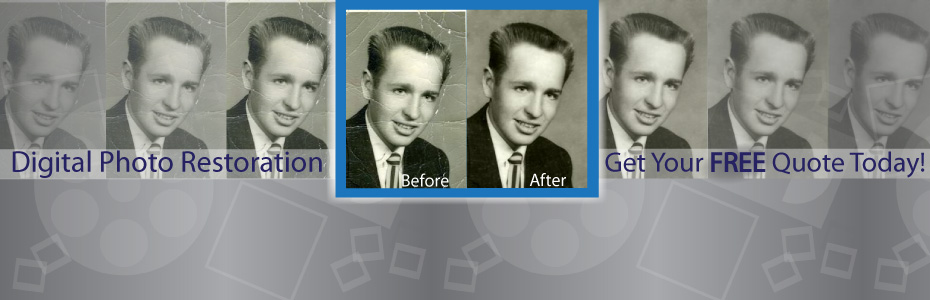
Not only do we convert your film to digital, but we also have additional services to hit the emotions even harder. With nostalgic slideshows and digital photo restoration, you can customize your gift to make it the best.
Wednesday, January 16, 2013
Tuesday, January 15, 2013
Photo Book Review: Walgreens
10:47 AM
No comments
We are on a quest to find you the best products and ideas for your digital images, and have decided to review photo book providers one book at a time.
Today: Walgreens
Some things we really liked about creating a Walgreen's photo book is that they offer same day pickup, the upload process was extremely fast, it's easy to find a coupon code, and there are a lot of designs to choose from.
Basically if you want a photo book fast- Walgreens is a great option. While they are convenient, there are some downsides to choosing them as your printer.
1- The hardback cover quality isn't the greatest. The corners of the book are smooshed, and you can peel off the wrapping.
2- The binding is terrible. It hardly provides any support to the book.
3-In the front, as well as the back of the book, you can see the white threads used to bind the book, giving it a cheap feel.
4-While the print quality itself was good, the pages were really thin, and wrinkled with the slightest turn of the page.
Ratings (on a scale of 1-5):
Quality- 2
Website (Ease of Creation)- 4
Design- 4
Overall- 3.5
Need to convert your old family film to digital to make your own photo book to celebrate your past? Check out our New Year's Sale ending Jan. 17!
Monday, January 14, 2013
Friday, January 11, 2013
Feature Friday: Video of 2 Year Old Dancing the Jive
9:26 AM
No comments
This video made my day!
Do you have home movies you want transferred to digital? Check out our services- the lowest price for the best quality!
Thursday, January 10, 2013
Wednesday, January 9, 2013
What to Look for When Choosing a Scanning Company
1:30 PM
No comments
Scanning Resolution
Resolution is everything when converting your old film to
digital. Resolution refers to how many
pixels an image contains. The higher the
pixel count, the better quality the image.
Make sure the company you choose gives you a range of resolution options
to make sure your photographic needs are met.
Color Correction
Chances are, your slides, movie film, photos, or other
pre-digital memories have experienced fading and discoloration. Some companies include the cost of applying
digital color corrections to your images post scanning, and others either don’t
deal with it, or charge extra for it.
Scanned in the USA
Do you really want to trust your precious legacy on a barge
ship to travel across the sea so they can be scanned at a cheaper price? Unfortunately, 10,000 large shipping
containers full of packages get lost at sea every year. Don’t let your memories be considered among
that number. Choose a company that will
keep your personals in one location.
Online Viewing
A lot of people don’t have the time or patience to squint
their eyes at tiny frames of film in order to organize them. That’s why online viewing and organizing is
an item you want to ensure is part of your scanning company’s services.
Delete Un-wanted
Scans
Not sure what exactly is on your film? Don’t want the image of an accidental picture
of the wall? Choose the ability to
delete the scans you don’t want- and better yet, don’t pay for it!
Scanning Equipment
You want a high quality camera to capture your memories, so
you would definitely want a high quality scanner to preserve them. Go with a company that uses professional
equipment with the latest technology.
Monday, January 7, 2013
Why NOT to Rely on 1 Step Photo Fixes for Your Digitized Film!
4:10 PM
No comments
A lot of times, people don't want to spend a lot of time editing their photos, and I don't blame you! It doesn't take as long if you only have to do a one step photo fix, and it takes approximately 5% brain power for you to select the photo fix and hit enter. That's really about all it takes. It seems nice, and with a term like "One Step Photo Fix" it sounds too good to be true. Well, I hate to break it to you, but it is too good to be true.
Sometimes, One Step Photo Fixes work awesome, but it's usually not the last step you need to take in order to get your digital images to the level you want them to be. Here is an example of an average photo that received the fix, but it just didn't do the photo justice. It caused a greenish yellowish hue to cover the image, and it didn't get rid of the red eye. More work needed to be done.
Now there are a couple of cases in which you should never ever use a one step photo fix because the results will just be so horrid, that it would take a lot of time, and a lot of small adjustments to get it to a pleasant looking result. They include:
1- Professionally taken photos. If you apply a one step photo fix to a professionally taken photograph, the contrast will most likely be sharpened above and beyond what it needs to be. The colors will also go out of whack by creating portions that are over saturated, and areas that have lost their bold pigments.
2-Sunsets and under water photos. Because of the rich coloring in these types of photos, a one step photo fix will often times throw the coloring off balance, creating a very unnatural and unappealing look.
Again, One Step Fixes can save time, however, it can also cause a lot of headache. When in doubt- edit your digital images manually.
Larsen Digital offers free automatic fade and color correction to slides, photos and negatives when you convert them to digital. Talented graphic designers bring your photo memories from drab to fab using professional software including Adobe Photoshop CS6.
Friday, January 4, 2013
What NOT To Do With Your Child's Photos and Memories
7:59 AM
No comments
Has this happened to your precious photos and film? Fear not, we can digitally restore your photos after experiencing water damage!
Still store photos, slides, movie film, video tapes, negatives and other film in a box in the garage? Get it out! Convert your memories today, and never worry about the "Leaves and Gook and Stuff" again.
Thursday, January 3, 2013
All About Movie Film
1:12 PM
2 comments
Did you know that there are different kinds of movie film? Well there are! We are going to go over the different kinds we transfer to help aid you in knowing what you have in your inventory.
8mm movie film: Designed by Eastman Kodak during the Great Depression to allow families to watch their home movies without the expensive cost. The film strips are 8mm wide, as noted in the name.
Super 8 movie film: This film format was meant to be an improvement to the original 8mm film. It only has perforations on one side, rather than both, and those holes are smaller than the former product, allowing for a greater viewing space on the film. On the opposite side of the movie film reels was a magnetic strip, allowing audio to be recorded along with the video.
16mm: Both silent, and well as film with audio exist in the 16mm family. It was mostly used for non-theatrical films, or low budget productions. The film is 16mm wide, and was used a lot to get news stories that were outside of the studio. 16mm film is still used today for select tv series and movies. There are 3 types of 16mm movie film. There is 16mm with optical sound, 16mm silent, as well as super 16mm silent with single sprocket.
Luckily for you, we transfer all these formats of movie film, and we do it with the bet equipment out there! Some companies project your film onto a wall and record it that way, but we know your' memories deserve better. That is why we capture your film from by frame, giving you the best quality possible.
The price for each type of movie film is the same, and we offer color correction, high definition transfers, online editing, and blu-ray options. Larsen Digital is the most trusted name in the industry. We keep all your film in one facility, rather than outsourcing it out of the country, and we treat your memories with respect, as thought they were our own.
Have any more questions? Visit our website, or give us a call at 1-800-776-8357.
Also, be sure to follow us on Twitter to take advantage of special deals and tips!


+2.jpg)