Tips, Tricks, and Tutorials

Teaching you fun and interesting things to do with your digital images. Whether it's highlighting a new app, or a tutorial on how to edit a photo, we want to help you make the most of your memories.

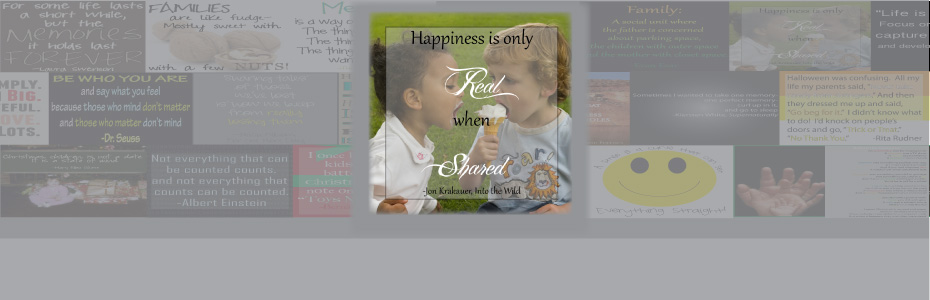
Featured Thought

Visit our blog every Thursday when we will post a brand new thought or quote! What's the point of our 'Thursday Thought' feature? Because everyone could use a good one every now and then.

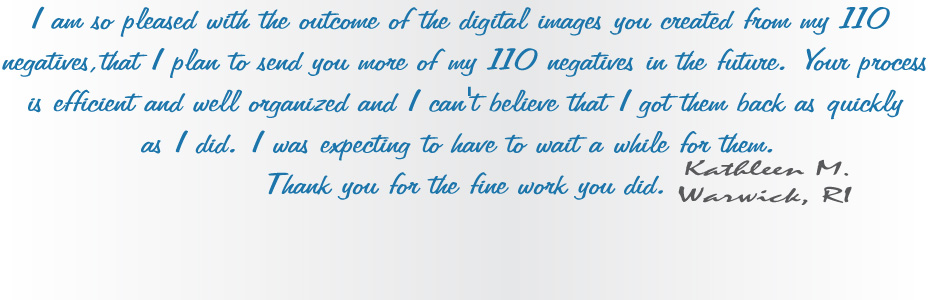
Customer Feedback

Want to see your raving reviews here? Comment on one of our social media sites, or email us at customerservice@larsendigital.com. We love hearing from you!

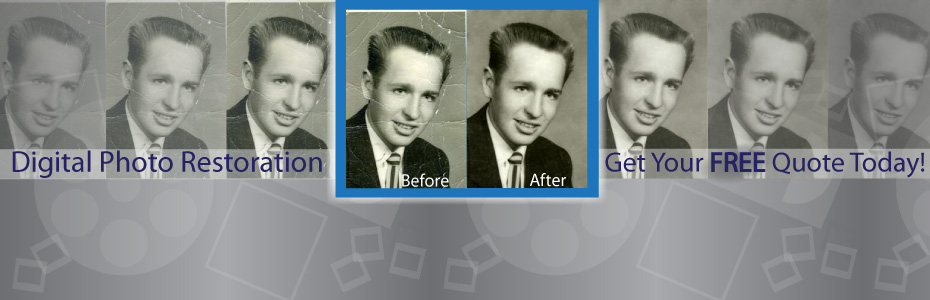
Digital Photo Makeover

Your old film and photos can go through a lot. Whether they are extremely discolored, torn or ripped by a child, involved in a flood or accident, we want to fix it!

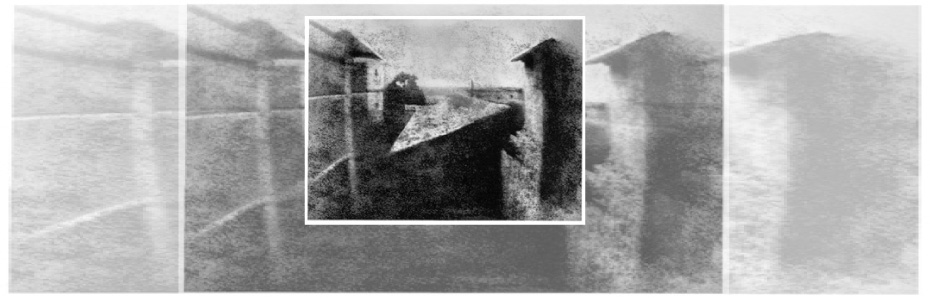
Check This Out!

The world's very first photograph! We wouldn't have a business if the photography industry never progressed. It's amazing how far we come, and how advanced we continue to get.

We pride ourselves in our track record since we started business back in 1995. We have always made sure that each and every one of our customers is treated with professionalism along with a personal touch. We're proud to be the most trusted source of slide and negative scanning in North America. We are located beneath the snow-capped peaks of Mount Ben Lomond in Pleasant View, Utah. Pleasant View is 45 miles north of Salt Lake City, host of the 2002 Winter Olympics. All work is done in house here in Utah. We do not outsource any work out of the country like many other companies do.
Showing posts with label CD. Show all posts

Friday, March 25, 2011


Question: What is the difference between a CD, Data DVD, and DVD Video?
Answer:
A CD will hold 700MB of data. It is readable in virtually every computer. Most DVD players connected to a TV will display JPEG images from the CD.

A Data DVD will hold 4.6GB of data, or about 6.5 times as much as a CD. A Data DVD is similar to a CD but it requires a DVD reader in a computer to read it. Most newer computers have a DVD reader. A Data DVD cannot be read in most DVD players for TV viewing.

A DVD Video is a DVD-R disc that has been formatted for movies. It works the same as a DVD movie that you would rent from your local video store (Blockbuster Video, Redbox, etc.)

Tuesday, March 22, 2011


Today's Tip:
How to keep your image files safe after archiving them!

First, you've sent your photos, slides, or other film format to Larsen Digital Services for memory preservation. Now what? We give your files back to you either on a CD, DVD, USB flash drive, or an External Hard Drive. While these are the best options right now for the safekeeping of your images, there are extra precautions you can take to ensure the safety of your files!

-Save a copy of your images to your personal computer. Not only does this give you an extra copy of each file, but now you can upload your photos to Facebook, Blogger, or Twitter! You always want to make sure that you have at least one backup of your images.

-If you received your images on a DVD or CD, then a good idea would be to purchase an external hard drive, or USB flash drive (depending on how much room you need) to keep another set of images on. You will want to store this hard drive in a well conditioned area. You can also store backups of important documents and files as well. Then, if your personal computer crashes you have that extra hard drive with everything important to you on it! You can find many cost-effective hard drives at online merchants such as NewEgg.com, mwave.com, and others.

-There are on-line file storage companies which keep your files safe and accessible. However, there is a monthly charge for this service depending on how much storage you need. You will definitely want to make sure the company you choose offers password protection, as well as an encrypted file transfer.

DID YOU KNOW...
Larsen Digital Services offers a 5 Year Data SafeKeeping Program? If you use us to digitize your important treasures, you can pay a one time fee to have us keep your images for 5 Years! After that 5 Years is complete, feel free to renew it for another one time fee, and have peace of mind knowing your memories are safe! Price starts at only $8.15!

Monday, November 1, 2010

Question of the Day 11-1-10

Question: I have a few hundred family slides that I would like to be scanned and put onto a CD to give as Christmas gifts for my family. Is there enough time?

Answer: Definitely! Our current turnaround time for up to 500 slides is only two weeks. Not only will you have the CD in time for Christmas, but if you hurry you will have it back by Thanksgiving!

Wednesday, October 20, 2010

Question of the Day 10-20-10

Questions: I have 15 photo albums from my mother and I would like them scanned and put to a CD. How do I do this?

Answer: First, you will want to remove the photos from the album- this will save money in shipping and handling costs. Once you have compiled all the pictures you want to scan you will want to put them in a container that will protect it during shipment. You can put them photographs in a ziploc bag so that the packing material inside the shipping box does not come in direct contact with the prints. You can also use padded envelopes to store the photographs inside your shipping box.

Monday, October 18, 2010

Question of the Day 10-18-10

Question: I have hundreds of 35mm slides from my parents that I would like to put to CD. How do I do this and how much does it cost?

Answer: Our prices for 35mm slides starts at 35 cents per slide, this cost cover the scanning & color correction of each image. All you need to do is collect your slides, fill out our order form & send them to us and we will take care of the rest!