Tips, Tricks, and Tutorials

Teaching you fun and interesting things to do with your digital images. Whether it's highlighting a new app, or a tutorial on how to edit a photo, we want to help you make the most of your memories.

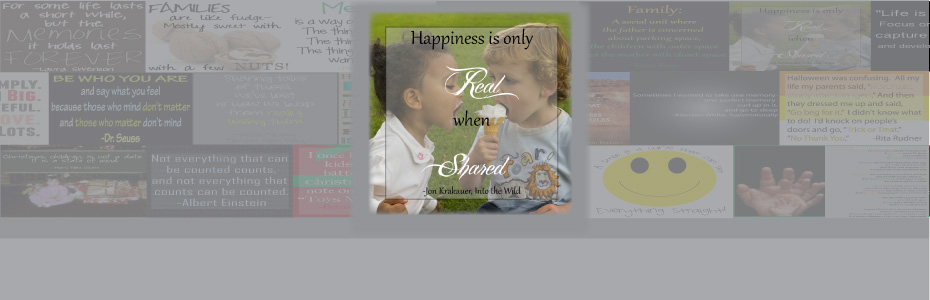
Featured Thought

Visit our blog every Thursday when we will post a brand new thought or quote! What's the point of our 'Thursday Thought' feature? Because everyone could use a good one every now and then.

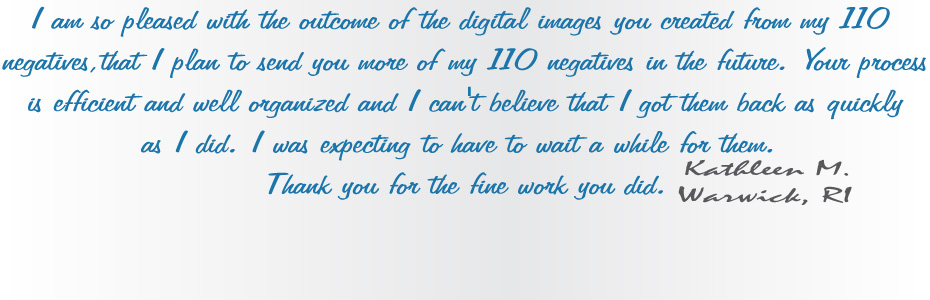
Customer Feedback

Want to see your raving reviews here? Comment on one of our social media sites, or email us at customerservice@larsendigital.com. We love hearing from you!

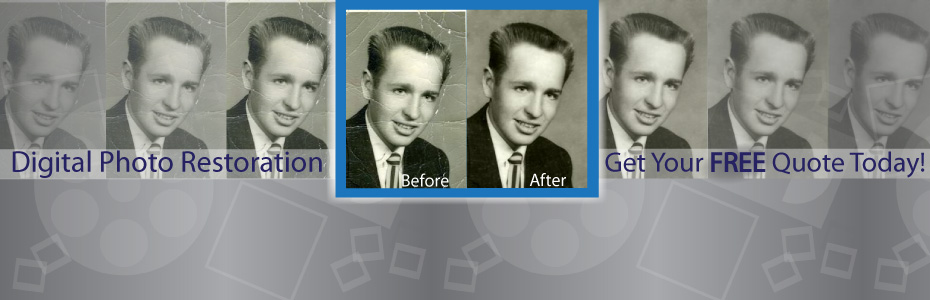
Digital Photo Makeover

Your old film and photos can go through a lot. Whether they are extremely discolored, torn or ripped by a child, involved in a flood or accident, we want to fix it!

Check This Out!

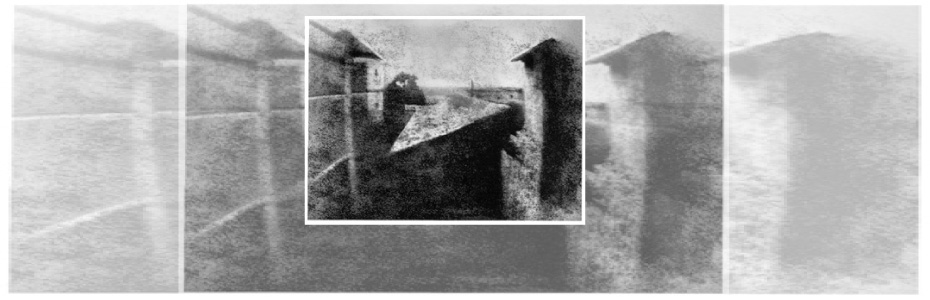
The world's very first photograph! We wouldn't have a business if the photography industry never progressed. It's amazing how far we come, and how advanced we continue to get.

We pride ourselves in our track record since we started business back in 1995. We have always made sure that each and every one of our customers is treated with professionalism along with a personal touch. We're proud to be the most trusted source of slide and negative scanning in North America. We are located beneath the snow-capped peaks of Mount Ben Lomond in Pleasant View, Utah. Pleasant View is 45 miles north of Salt Lake City, host of the 2002 Winter Olympics. All work is done in house here in Utah. We do not outsource any work out of the country like many other companies do.

Tuesday, January 10, 2012

Choosing a company to preserve your memories can be tough! To make sure you get the best bang for your buck, make sure you research each of your prospective companies in the following areas:

Resolution is one of the biggest factors determining the quality of your digital images. Resolution means how much "information" or dots/pixels are in your digital image. The more dots/pixels, the sharper your image will be and the higher quality digital image you will get.

It's the same concept as Megapixels and digital cameras. The higher the Megapixels, the higher quality your image will be.

Over time, the dyes in film will fade, leaving film discolored. This is why every slide, negative and photograph that you scan should receive a color correction treatment.

In an attempt to keep their rates low some companies outsource all their scanning work outside the USA. They try and hide this fact by having you send your slides to a facility in the states, such as California, Texas or Arizona. Once your film and video has arrived in their state side location, they package it up again, and it is shipped out of the country on a barge ship. In a recent article it was estimated that 10,000 cargo containers are lost at sea each year. Read Full Article

Instead of painstakingly trying to merge, organize, and sort all of your photo memories, pick a company who will upload your scanned images to a website where you can do all the organization and custom naming you want!

Don't want it? You should be able to delete images for free!

Equipment should be a big factor in your decision. Choose a company who respects your precious belongings enough to scan it with equipment that will do the job the way you want!

Do you know whether you want a JPEG vs TIFF digital file?

A lot of companies may scan your film for a cheap price, but you are going to get a cheap return. Make sure you get the best results possible from your memories. It is one choice you will never regret!

Want to know more about what Larsen Digital Services has to offer? Visit us at www.larsendigital.com

Wednesday, January 4, 2012

Movie Film Color Correction

Larsen Digital offers a color correction service on movie film! Check out these amazing transformations:


Want to bring your movie film memories back to life? Visit us HERE

$10 OFF a $50 purchase!


----------Print your coupon below and receive $10 OFF!----------


For more information on how to order, visit us HERE!

Tuesday, January 3, 2012


Today's Tip:
How to keep your image files safe after archiving them!

First, you've sent your photos, slides, or other film format to Larsen Digital Services for memory preservation. Now what? We give your files back to you either on a CD, DVD, USB flash drive, or an External Hard Drive. While these are the best options right now for the safekeeping of your images, there are extra precautions you can take to ensure the safety of your files!

-Save a copy of your images to your personal computer. Not only does this give you an extra copy of each file, but now you can upload your photos to Facebook, Blogger, or Twitter! You always want to make sure that you have at least one backup of your images.

-If you received your images on a DVD or CD, then a good idea would be to purchase an external hard drive, or USB flash drive (depending on how much room you need) to keep another set of images on. You will want to store this hard drive in a well conditioned area. You can also store backups of important documents and files as well. Then, if your personal computer crashes you have that extra hard drive with everything important to you on it! You can find many cost-effective hard drives at online merchants such as NewEgg.com, mwave.com, and others.

-There are on-line file storage companies which keep your files safe and accessible. However, there is a monthly charge for this service depending on how much storage you need. You will definitely want to make sure the company you choose offers password protection, as well as an encrypted file transfer.

DID YOU KNOW...
Larsen Digital Services offers a 5 Year Data SafeKeeping Program? If you use us to digitize your important treasures, you can pay a one time fee to have us keep your images for 5 Years! After that 5 Years is complete, feel free to renew it for another one time fee, and have peace of mind knowing your memories are safe! Price starts at only $8.15!

Monday, January 2, 2012


This picture had the corner torn off, it's wrinkled, and the edges are completely worn. A lot of people would think there is no helping this cause... that's where Larsen Digital comes in!


We were able to re-create the arm and dress, fix the borders and wrinkles, and adjust the coloring. It's truly amazing!

Cost of this project: $90.00
Memories re-lived: priceless!
Learn more about our photo restoration and repair here.

Wednesday, December 28, 2011

----------Print the coupon below and save today!----------


Want to order? Visit us HERE!

Wednesday, December 21, 2011

Tuesday, December 20, 2011


Here are the top apps of 2011 for your phone!

Find the top 50 iPhone apps here:
http://www.time.com/time/specials/packages/0,28757,2044480,00.html

And the top 20 Android apps here:
http://techland.time.com/2011/02/18/best-android-apps/#google-voice

Wednesday, December 14, 2011

Tuesday, December 13, 2011

12 Gadgets of Christmas

12 Days until Christmas... are you ready? If not, you know where to find us...

And for some holiday fun...

Friday, December 9, 2011

Question: I have both the negatives and the printed photos; which one is better to have scanned?

Answer: The Original!!

In Almost Every Case, the original negative will produce a better scan than the printed photo. The negative is the "original" and it will always contain more scan-able data than the print.

Did You Know...

That we scan negatives and slides starting out at JUST 35¢? Want to order? Just click here!

Wednesday, December 7, 2011

----------Print The Coupon Below----------


Ready to order? Get your film in before Christmas!!

See our Holiday Prices HERE!

Don't think you'll be prepared to send your film in by Christmas? Send the gift of a GIFT CARD! For more information, visit us HERE!

Monday, December 5, 2011

The Gift of Memories!

There is no better way to spend the holidays than...

s
haring old memories while making new ones!!

There's still time to get your film in! Check out our holiday deadlines HERE!

Monday, November 14, 2011

How do I know what type of movie film I have?

Question: How do I know what type of movie film I have?

Answer: Use the pictures below to help identify your film type:


DID YOU KNOW....

The standard 8 mm film format was developed by the Eastman Kodak company during the Great Depression and released on the market in 1932 to create a home movie format that was less expensive than 16 mm?

Want more information about movie film? Visit us here

Friday, November 11, 2011

FREE SHIPPING

What do you get the person who has EVERYTHING for Christmas? Preserve their memories!!

Print this coupon today and get FREE inbound shipping on your order


For more information, visit us HERE!

Monday, November 7, 2011

Which of the big 5 Web Browsers is Best?

Google Chrome, Mozilla Firefox, Microsoft Internet Explorer, Opera, or Apple Safari: Which of the most popular Web browsers is really the best?

Read the article from ZDNet HERE to find out!

Thursday, November 3, 2011

Thanksgiving Sale

It's the season of giving- and preserving memories of loved ones is the best gift of all!


Check out our Thanksgiving Sale today!

Thursday, October 27, 2011


Paul Simon said...
"Preserve your memories, they're all that's left of you"
Take advice from this amazing artist! Preserve your memories today!

Wednesday, October 26, 2011


----------Print the Coupon Below!----------


Want to order? Visit us HERE!

Monday, October 24, 2011


Are you ready for a Halloween Makeover?!

This picture was really faded when we got our hands on it... but with our Fade and Color Correction services this memory looks as good as new! The edges are sharper, and the colors are more vibrant.

Tuesday, October 18, 2011

Larsen Digital has Partnered with Pixorial!


Larsen Digital has chosen Pixorial's video sharing platform to expand its video conversion offering with online video editing, sharing and storing. Larsen Digital customers can now receive a 30 day Free Pixorial Premium Membership with all Movie Film & Video Tape conversions.

Want to know how it works? Check out this video!

Monday, October 17, 2011


Do your photos or film have signs of discoloration? Larsen Digital can help. Take a look at this Digital Makeover!


Want to see more? Check us out here!

Thursday, October 13, 2011

Coupon Today, Giveaway Tomorrow!

----------Print the coupon below and save today!----------


Order Your Prints at:
http://www.slidescanning.com/photo-scanning.htm

Want to be entered to win a $25 Gift Certificate? Like our Facebook page!

Monday, October 10, 2011

So You've Brought Your Old Film To The Digital Age... Now What?

Storage of your digital files is crucial!

Check out this article from About.com for ideas on how to protect your digital files!

http://cameras.about.com/cs/printing/a/storage.htm

Want to know about our 5 Year Data SafeKeeping plan, where we will keep ALL your precious images for 5 YEARS?! Visit us HERE!

Thursday, October 6, 2011


Steve Jobs' greatest legacy is that he inspired a generation of start-up founders to believe that they too can change the world. -Erick Schonfeld


Wednesday, October 5, 2011

Free Slideshow Duplication!

----------Print Your Coupon Below!----------


Want to learn more about our amazing slideshows? Visit us HERE!

Tuesday, October 4, 2011

Halloween Memories


What's your favorite Halloween memory?

Don't forget to preserve them with Larsen Digital Services! Take advantage of our Fall sale ending October 15!

Monday, October 3, 2011

Traveling Soon?

Here are some tips from Photography.com on how to manage your photography equipment safely while traveling:
By Nancy Hill

Traveling with photo equipment can get complicated, but traveling without photo equipment would be pointless to anyone who loves photography, so here are some pointers that should take some of the stress out of it.

1. If you’re flying, carry your camera onboard with you to avoid damage. When you go through metal detectors, ask the attendant to hand-screen your film. To help expedite hand-screening, carry your film in clear canisters or remove it from its packaging and place it in clear plastic bags.

If you can buy film where you’re headed, consider waiting until you get there to purchase it. It’ll at least make one leg of your trip easier going through screening devices.

Do not pack unprocessed film in checked luggage. The scanner equipment is stronger than the ones used for carryon bags, and may well fog your film.

Check your airline’s web site to find out carry-on and checked-luggage policies. Some overseas airlines or small airlines do not allow you to carry luggage onto the plane with you.

Digital media are not affected by x-rays, but magnetic devices could harm them. Because there may be powerful magnets in the motors of conveyor belts, place your camera as far away from the beginning of the belt as possible.

2. If you’re traveling by car, keep your camera inside when you’re driving so it will stay cool. Carry it with you when you leave your car; it can easily be stolen out of the trunk.

3. Always, but always, keep your eye on your equipment. It takes only a couple of seconds for anyone to grab an unattended camera bag. Dangling a camera from your neck isn’t a good idea, either; it’s very easy to cut a strap with a quick cut of a sharp knife.

4. Know what you’re going to do about storing digital images before your trip begins. Personally, I prefer memory cards. Lugging around a computer or portable storage devices is a hassle. If I’m particularly protective about images, I either go to a one-hour lab and have them download the images to a CD or I go to a cyber cafe and download the images to an online image bank. If I need more memory cards, I just buy them. They’re not hard to find. If I think they may be hard to find, I take extra ones with me. You can never have too many memory cards.

5. Insure your equipment. See if your insurance company already covers your equipment in case of theft or damage. If it doesn’t, get a policy that will, especially if you’re traveling with thousands of dollars worth of equipment.

6. Unless you know your camera inside and out, take your manual with you. Just pack it in your luggage.

7. Make sure you take all your cords, etc. with you. If anything needs an outlet, bring an electric plug adapter if you’ll travel overseas. Bring one for your car, too, if you’ll be doing a lot of shooting in the field.

8. Protect your camera from inclement weather.

9. Avoid leaving your gear in extreme heat.

10. If it rains unexpectedly, the very least you should do is get your camera under an item of clothes to shield it the best you can. Get out of the rain.

11. If it’s cold, warm your camera up with your body heat to avoid condensation. If condensation does occur, empty the battery and memory compartments and keep the compartments open until they’re dry. If you take them back outside with condensation, they may freeze, and that’s bad news.

12. Use a UV filter to protect your lens.

13. Take equipment you’re familiar with. Traveling isn’t the time to try out new equipment if you want to be confident you’ll get good results.

14. Travel light with a good bag. Don’t bring every lens or body you have “just in case.” By limiting yourself, you may also find new ways of seeing.

15. If you’re going overseas, declare all your photo equipment with custom officials at the airport before you leave so you won’t have to prove ownership when you return.


Thursday, September 29, 2011

Buying a Tablet?

With so many tablets on the market now, which one do you buy?

Check out these tips from PC Magazine on buying the right tablet for you.

http://www.pcmag.com/article2/0,2817,2382821,00.asp#fbid=hUq
pcp7a3tW

Tuesday, September 27, 2011

3 great iPad apps for reading the news!

It has been said that information is power.

These days information is so readily accessible that almost anything can be searched out and discovered within seconds using our smartphones and tablets. Owners of the iPad can experience greater informational power by using a few key applications that are able to serve the latest and greatest news articles in a flash, without having to browse around multiple websites in Safari.

Three of the most popular and useful applications for reading the news on the iPad are Zite, Flipboard, and Editions by AOL. These three apps scour the Internet and return articles that create a personalized magazine that can be customized to fit the user’s interests.

While each app essentially performs the same task, they have each found a way to provide unique tweaks and features that keep iPad users entertained and coming back for more day after day.

Zite

Zite was released on March 9, 2011, and quickly gained favor in the eyes of many news enthusiasts. Fortunately for the Canadian company Zite, Inc., its innovative app gained so much popularity that it was recently acquired by CNN.

It can be said that Zite is a “smart app" because it will, over time, automatically learn what each user’s interests are based on the articles that are read. As it learns, Zite will serve more articles based on those interests.

Each user can help Zite learn faster by giving each article read a thumbs up or thumbs down in a side bar that is built into each page.

The magic behind Zite is that it will go out and grab news articles within preset or custom, user-created sections from all different sources on the Internet to present the most customized reading experience.

Zite has become a one-stop shop for all the latest news. Instead of browsing around several websites, iPad users can simply open Zite and be automatically presented with the news that is most relevant to them. Zite is currently available for the iPad only, but is expected to be released for other tablet platforms in the future.

Flipboard

Flipboard is an innovative app that helped pave the way for apps such as Zite. Rather than gathering articles from all over the Internet as Zite does, Flipboard allows the user to select favorite sites from the Internet that are loaded into a section on the homepage. The content from those sites are then integrated into the app’s magazine-like interface for a unique reading experience.

Flipboard integrates site content in a very clever way that gives it the feel of a physical magazine. There is even a fun little animation that simulates a physical magazine page turn with each swipe. After becoming accustomed to Flipboard’s interface, reading the same website content within Safari will seem like a flavorless experience.

One key feature that sets Flipboard apart is Facebook integration. After logging into Facebook through the app, Flipboard will take the user’s Facebook wall and transpose it to magazine form. This creates a new and interesting way to view Facebook. The app even gives the user the ability to “Like” and comment on status updates and pictures posted by friends. As there is currently no dedicated Facebook application for the iPad, Flipboard can be used as an alternative in the interim while Mark Zuckerberg decides on a release date for his official iPad app.

Flipboard was released on July 21, 2010, and was one of the first customizable news apps on the scene. It was named as Apple’s iPad App of the Year in 2010 and was also named one of the Top 50 inventions in 2010 by TIME Magazine.

Editions by AOL

Released on August 3, 2011, Editions by AOL is the new kid on the block. The user interface of Editions is one of the most unique and really gives the user a true, personalized magazine experience. Each day, the app will deliver a new “Edition” of a personalized magazine full of articles and news stories from user-selected topics.

Editions comes with several preset sections including Top News, Local News, Technology, Business, Entertainment, and Sports. More preset sections are available and can be added based on the user’s interests. Like Zite, Editions is a smart app that will learn over time what each user is most interested in and will serve up the most relevant articles.

The feature that is most unique about Editions is it integrates local news and weather based off geographic location of the iPad being used. Facebook integration is also available which informs the user of upcoming birthdays and other events.

Despite the beautiful interface and unique features, Editions lacks the ability to create custom content sections as Zite does. Also, Editions only presents a handful of articles within each section and displays fewer articles per page than Zite and Flipboard. This can be a drawback for those who prefer to view more content and headlines at once.

However, this can also be seen as a benefit to those who prefer smaller amounts of content per page, which creates a less distracting and more concise interface. All in all, Editions is a very well-built app and has received high reviews in the App Store.

Each of these three apps essentially performs the same task. Each user’s needs and preferences are left to decide which app is truly the most useful and entertaining. While these apps all deliver the news, the best news of all is that they are free in the App Store and can be accessed without advertisements.

-Article from KSL.com